Agent Guide: How to Update the Status of an Incident
How to Update the Status of an Incident
Agent Guide
Update the incident status
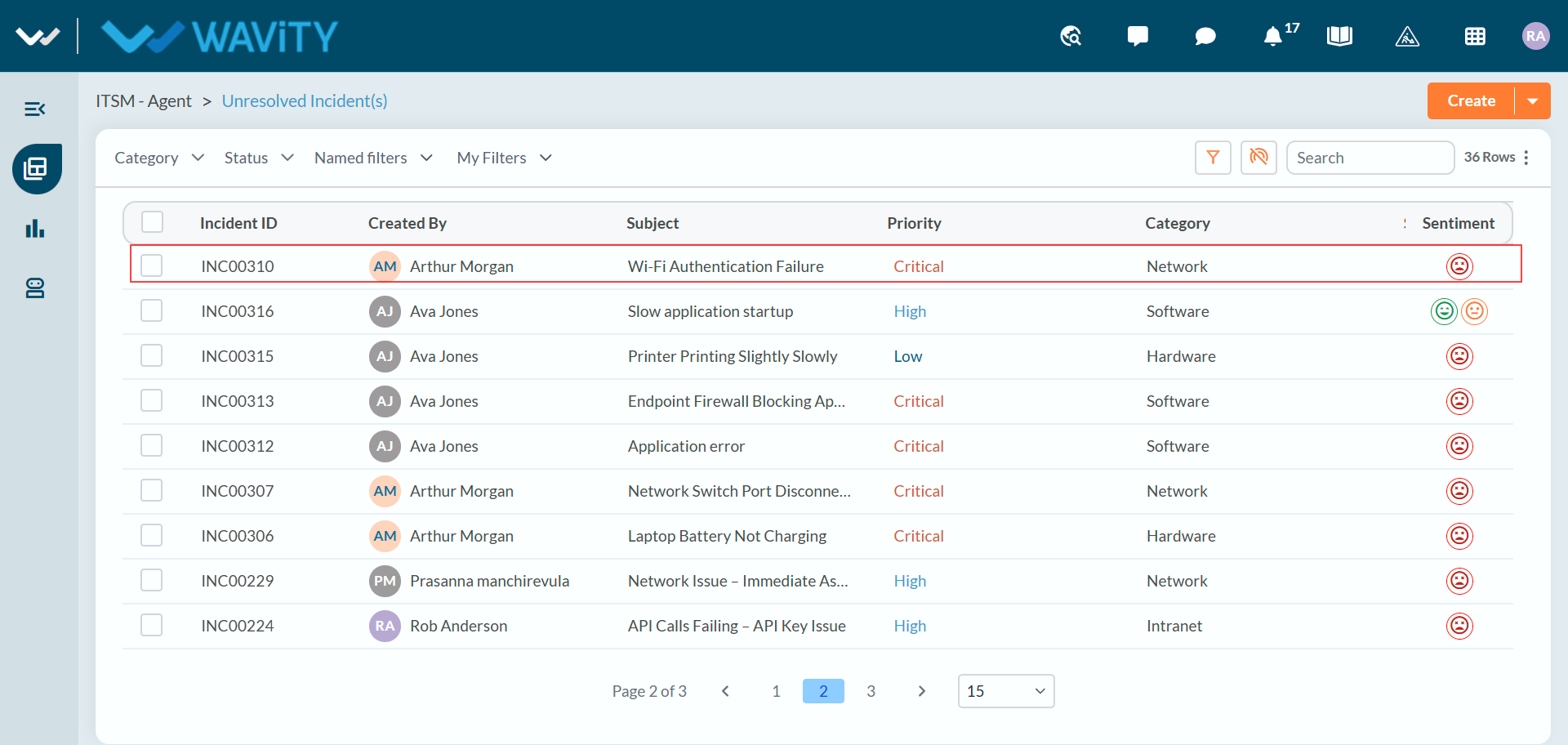
- Sign in to Wavity ITSM. Log in with your agent credentials. You will land on your default landing page, such as the Unresolved Incident(s) list.
- Open the incident. In the Unresolved Incident(s) list, click the incident you want to update. Use the Search box or the Category, Status and filter menus to find it quickly.
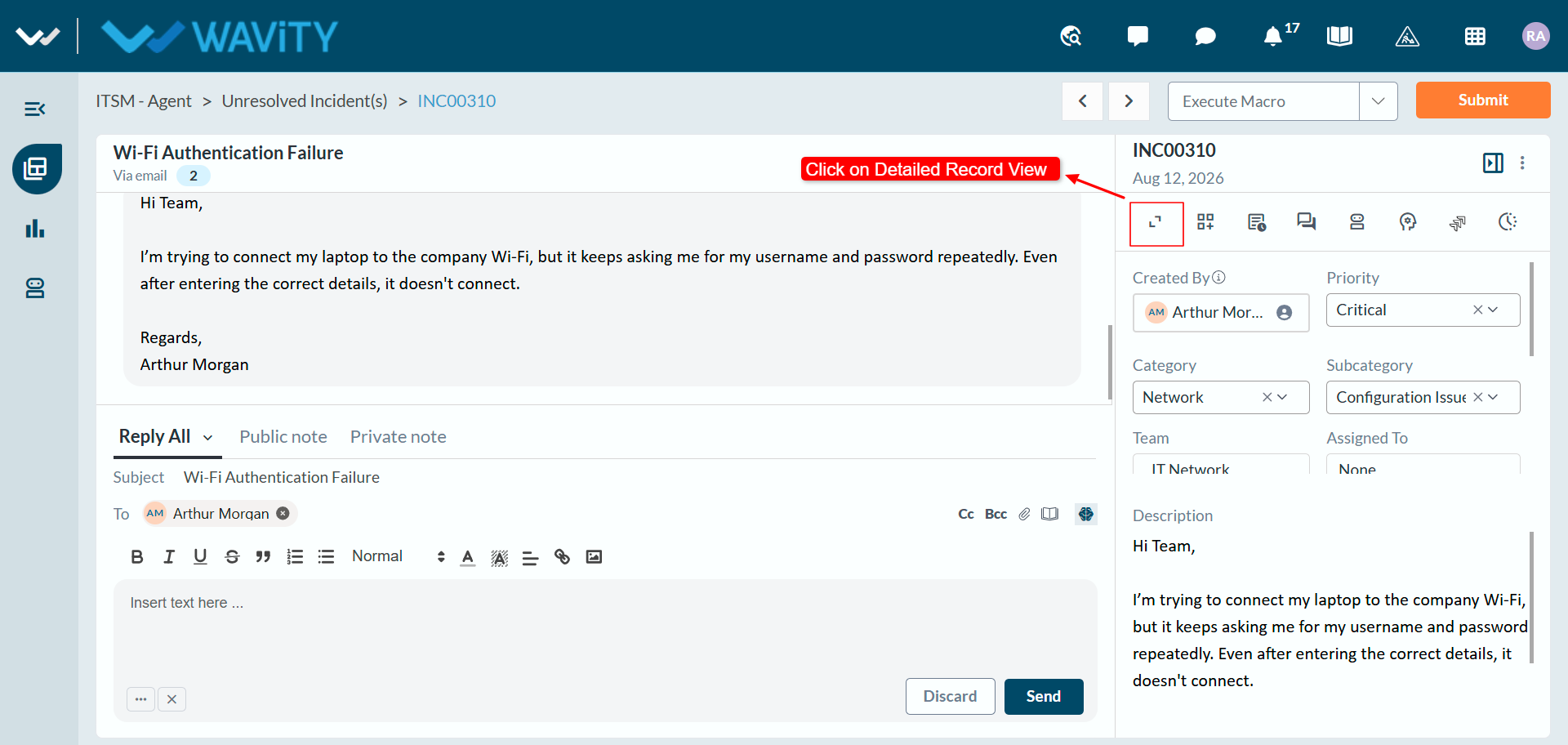
- Open the detailed record view. In the panel on the right of the incident, click the Detailed Record View icon (the first icon below the incident number) to see all of the incident’s details.
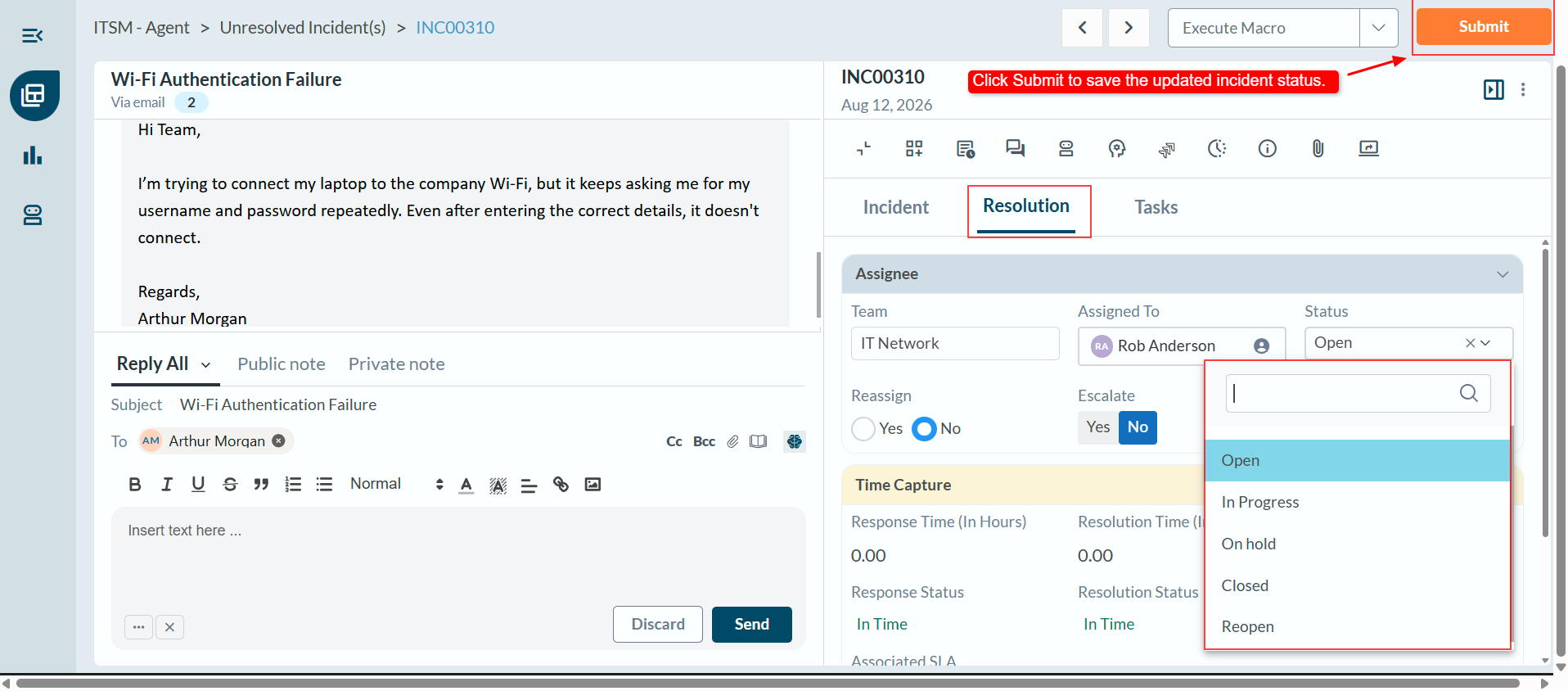
- Select the new status. Open the Resolution tab. In the Assignee section, choose the new status from the Status dropdown: Open, In Progress, On hold, Closed or Reopen.
- Save your changes. Click Submit in the top-right corner to save the updated status.